
Choosing the right platform can make a huge difference in your everyday routine and overall experience. With so many new options appearing each year, it can be tough to decide which one fits your needs best. Some offer simple tools, others provide unique features you may not expect. Each brings something a little different to the table. If you are curious about how these alternatives compare or what standout qualities set them apart, you are in for an interesting look at what is available for 2026.
Table of Contents
- ProgressNest
- Homeschooly
- Home Ed Companion
- Homeschool Tracker
- PebbleHomeschool Tracker
- WiseTrack Homeschool Log
ProgressNest
At a Glance
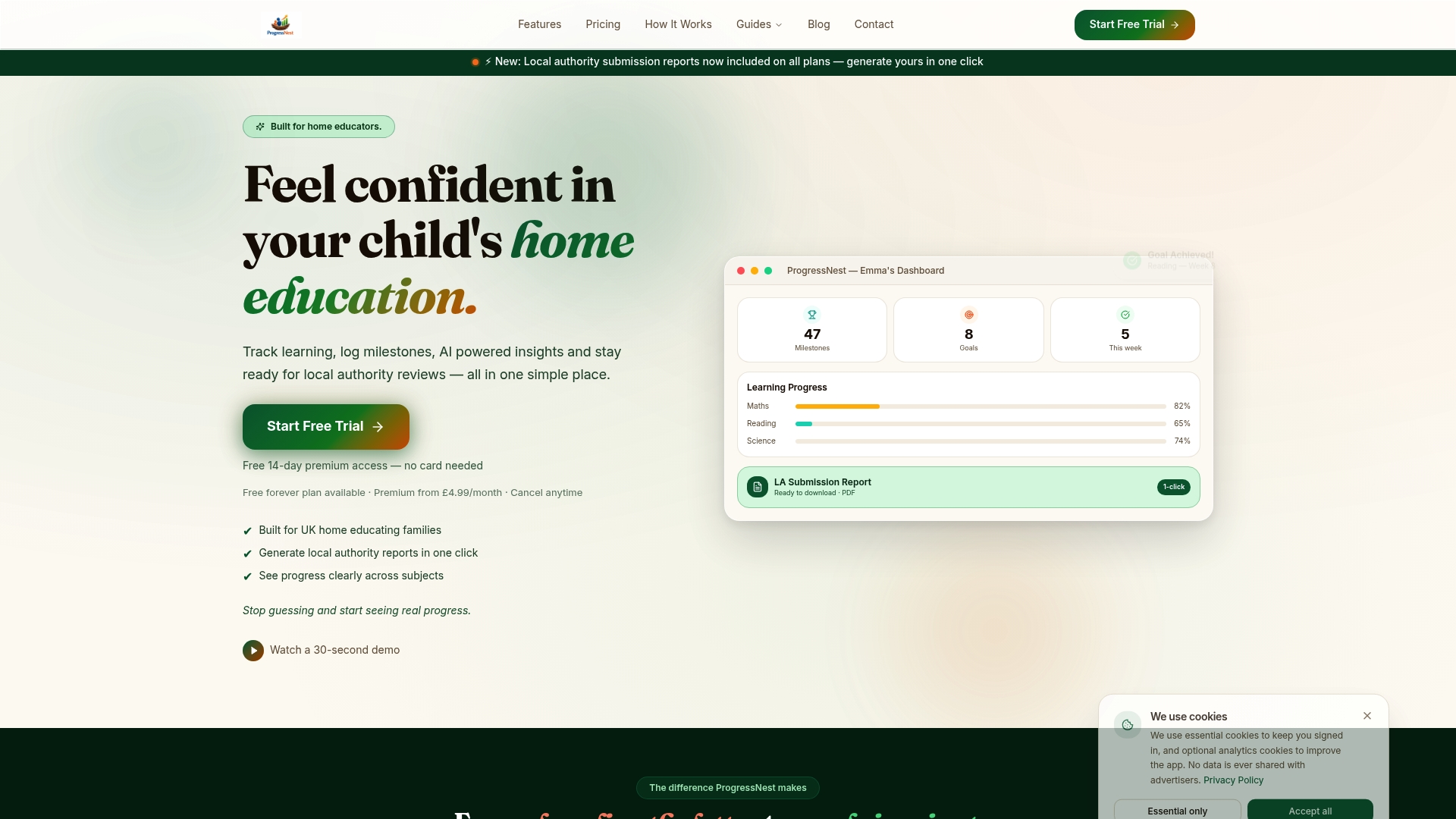
ProgressNest is a leading SaaS platform built for UK home educators to organize, monitor, and report on children’s learning progress with ease. It emphasizes ease of use, privacy, and comprehensive tracking so you spend less time on paperwork and more time teaching.
No spreadsheets.
Core Features
ProgressNest centralizes homeschool management with a clear focus on parental oversight and official reporting. Key capabilities include log milestones quickly and easily across multiple child profiles, AI powered insights into learning patterns, and one click generation of formal reports for Local Authority review.
- Log milestones quickly and easily for day to day learning evidence.
- Multiple child profiles handling lets you manage siblings under one account.
- AI powered insights highlight trends and gaps across subjects like Math, Reading, and Science.
- One click generation of formal reports produces professional grade PDF reports for Local Authority reviews.
- Progress charts visualize attainment across subjects so progress is visible at a glance.
Pros
- Organizes and demonstrates progress: It helps you assemble evidence and present it clearly to Local Authority reviewers so reports feel professional and complete.
- Simplifies reporting with professional PDFs: One click report generation produces polished documents suitable for official reviews without manual formatting.
- Supports multiple children in one account: You can track three or more children without juggling separate logbooks or spreadsheets.
- Provides actionable insights: AI powered patterns make it easier to spot gaps and plan next steps for each child.
- Respects data privacy and GDPR: The platform prioritizes secure handling of records and compliance with UK data rules.
Who It's For
ProgressNest fits UK based home educators and families who need a privacy conscious, organized system to track and present learning evidence. It works well for parents preparing for Local Authority reviews and for those managing several children at once.
Unique Value Proposition
ProgressNest sets the standard by combining user friendly interfaces with education focused reporting tools and robust data security. The platform replaces scattered notes and spreadsheets with visual charts, automated reminders, and tailored insights that save hours per term.
Its professional grade PDF reports meet the expectations of Local Authority reviewers while the privacy and GDPR compliance reassure parents about sensitive records. Smart buyers choose ProgressNest because it aligns teaching practice with reporting requirements without extra admin.
Real World Use Case
A family with three children uses ProgressNest to log daily milestones, tag evidence to specific subjects, and generate quarterly progress reports for Local Authority reviews. Teachers and parents review progress charts together and plan targeted lessons from the insights.
Pricing
Free plan available with limited features; Premium from £4.99 per month; Family from £9.99 per month. The free tier lets you try core tracking and basic reports before upgrading.
Website: https://progressnest.co.uk
Homeschooly
At a Glance
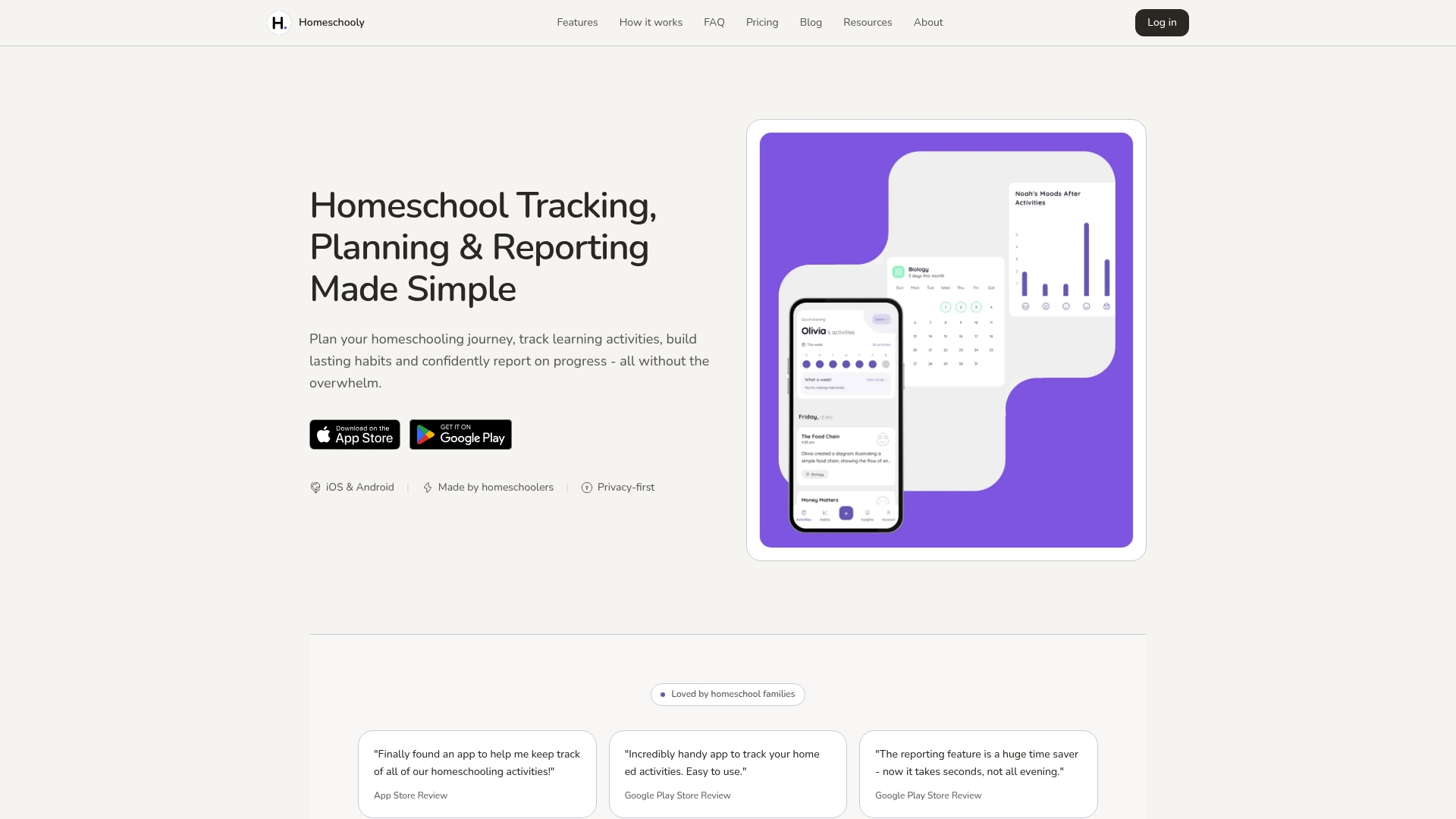
Homeschooly is a compact app for planning, logging, and reporting homeschooling activities with a clear focus on privacy and ease of use. It pairs cloud sync and end-to-end encryption with simple habit tracking to keep records tidy and portable.
Takeaway: Try the free tier to confirm the workflow fits your annual review needs.
Core Features
Homeschooly helps you capture learning moments, plan weekly activities, and produce polished reports for portfolio reviews and inspections. The interface supports photos, tags, reflections, custom categories, and a visual calendar to spot patterns in learning habits.
- Capture learning moments with photos, tags, and reflections
- Create custom categories for activities
- Generate polished PDF reports from logs
- Plan and schedule weekly activities with color-coded subjects
- Track learning habits and patterns over time in a visual calendar format
Takeaway: Use the calendar view to spot gaps before formal assessments.
Pros
- Easy to use for tracking and reporting homeschooling activities, which reduces time spent on admin every week.
- Multiple learners support lets you manage two or more children from one account without messy spreadsheets.
- Professional PDF reports produce presentable portfolios suitable for inspections and portfolio submissions.
- Cross platform availability on iOS and Android with offline mode keeps data accessible even when you are out and about.
- Custom categories and habit tracking give you the flexibility to mirror your chosen curriculum and daily routines.
Takeaway: These strengths make Homeschooly a practical choice for parents who want neat, exportable records.
Cons
- Premium features require a subscription which might be a cost factor for some families relying on tight budgets.
- Some advanced features like web access are provided as paid options and are not available on the free tier.
- Dependence on mobile device storage can be an issue unless you activate cloud sync to move media off the handset.
Takeaway: Budget for the premium plan if you need web access and full sync across devices.
Who It's For
Homeschooly is aimed at homeschooling parents or guardians who want a user friendly app to organize, track, and report learning while keeping data private. It fits families that prefer mobile first workflows and generate annual portfolios for local authorities.
Takeaway: Choose Homeschooly if you value tidy records and privacy on phones and tablets.
Unique Value Proposition
Homeschooly combines straightforward habit tracking with exportable, inspection ready reports while protecting data with secure sync. The balance of simple logging and formal PDF output sets it apart for families who need both daily tracking and official documentation.
Takeaway: Use Homeschooly when you want quick logs that turn into formal reports.
Real World Use Case
A family logs daily activities, tags subjects, monitors habit streaks, and then exports a polished PDF for their annual assessment. The app keeps photos and reflections organized so evidence is easy to assemble at review time.
Takeaway: Log during the week and export when you prepare your portfolio.
Pricing
Free with optional premium subscription priced at USD 2.99 per month or USD 29.99 per year. The premium plan adds habits, insights, multiple learners, cloud sync, and web access.
Takeaway: The annual plan lowers monthly cost if you want full functionality.
Website: https://www.homeschooly.app
Home Ed Companion
At a Glance
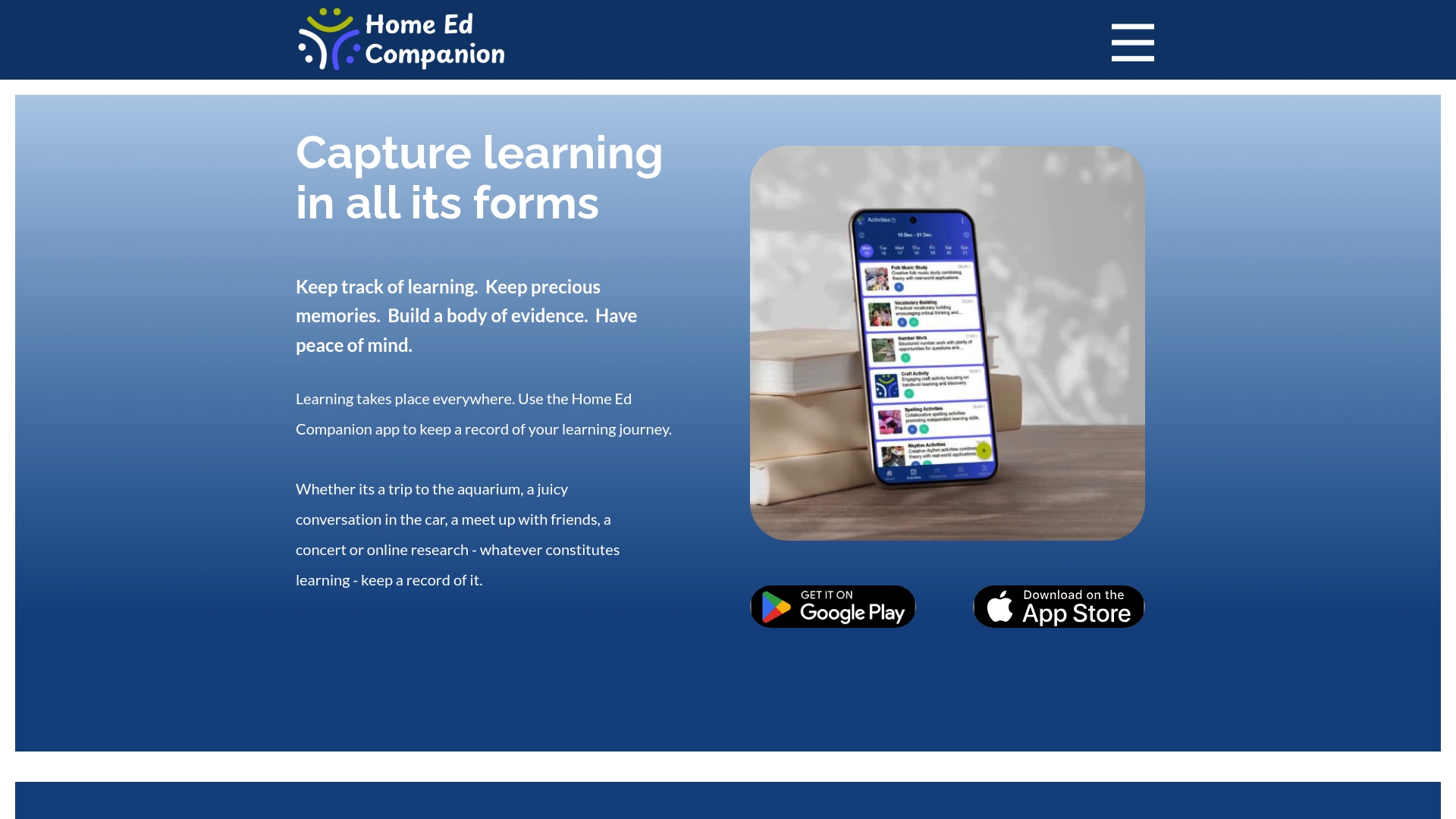
Home Ed Companion helps home educators keep a running record of learning across activities and experiences, giving clear weekly and monthly evidence for review. Its focus on simple entry and automated summaries delivers peace of mind and organization for busy families.
Core Features
Home Ed Companion lets you track learning activities with notes, photos, and topics while supporting multiple learners on one account and individual profiles. You can create personalized categories, view time spent by learner or category, and generate weekly and monthly summaries automatically.
Pros
- Supports all learning styles. The app accommodates project work, outdoor learning, conversations, and traditional lessons so you can document varied approaches in one place.
- Multi platform access. Available on iOS, Android, desktop, and iPad so you can log evidence on the go or at home without juggling spreadsheets.
- Organizes a comprehensive record. The ability to store notes and photos together produces a richer learning history than isolated text logs.
- Automated, customizable summaries. Weekly and monthly summaries are built from your entries which saves time when preparing evidence for tutors or groups.
- Handles multiple learners. Household accounts with separate profiles keep siblings’ records distinct while staying under one subscription.
Cons
- Limited user interface detail. The description does not explain navigation, layout, or how intuitive the app feels which makes it hard to judge daily usability.
- Unclear pricing structure. Only a seven day free trial is mentioned and there is no breakdown of subscription tiers or feature limits which complicates budget planning.
- Unknown integrations. There is no information on exporting data or connecting to other tools which may restrict workflow flexibility for some families.
Who It's For
Home Ed Companion suits home educators and families who want an organized, flexible way to record and summarize everyday learning without complex software. It especially fits households that document diverse activities and need a single account for several children.
Unique Value Proposition
The product stands out for turning daily entries into ready made summaries that demonstrate learning over time. By combining photos, notes, and topic tags, it reduces the friction of record keeping and produces clear evidence you can share with tutors or support groups.
Real World Use Case
A family records a museum trip, a science experiment, and a kitchen conversation as separate entries with photos and notes. At the end of the week they generate the automatic summary to share with a tutor and file alongside portfolio evidence for meetings.
Pricing
Home Ed Companion is subscription based and includes a 7 day free trial. No further pricing tiers or payment frequencies are provided in the available information.
Website: https://www.homeedcompanion.com
Homeschool Tracker
At a Glance
Homeschool Tracker is a long established online tool for record keeping and lesson planning that thousands of families have relied on for over 20 years. It delivers solid reporting features and affordable subscription tiers for parents who want a dedicated homeschool management system.
Core Features
Homeschool Tracker centers on three practical capabilities that matter to UK home educators. Record Keeping offers configurable fields and robust grading options so you track what was taught and how students performed. Lesson Planning lets you schedule curriculum across the year or build daily plans. Reporting produces report cards, transcripts, attendance logs, and supply lists that support college applications and administrative needs.
Pros
- Flexible online platform: The system adapts to different record keeping styles so you can log lessons, assessments, and attendance in ways that match your family routine.
- Affordable pricing: Subscription options start at a low monthly cost and include annual and two year plans that reduce the effective price.
- Comprehensive feature set: Record keeping, lesson planning, and reporting are bundled together, removing the need for separate spreadsheets and manual transcript editing.
- Proven track record: The platform has a long user history with thousands of homeschoolers trusting it for more than 20 years.
- Support resources available: Training webinars, video tutorials, and a help center help you learn the system without long trial and error.
Cons
- No free trial: The vendor does not offer a free trial so you must start with a monthly plan to test the full system.
- Standard plan limits: The typical subscription covers up to 20 students and 3 teachers which may force upgrades for larger co op groups.
- Ongoing subscription required: Access depends on an active subscription so records and reports require continuous payments.
Who It's For
This product fits homeschooling parents and educators who want a focused, online system to manage coursework, attendance, assessments, and official reports. It suits individual families and small cooperative groups that work within the limits of the standard plan and prefer structured reporting over ad hoc spreadsheets.
Unique Value Proposition
Homeschool Tracker combines long term reliability with targeted features for academic documentation. The platform packages lesson planning and professional reporting in a single service so you can produce transcripts and report cards without external tools.
Real World Use Case
A parent plans the entire school year in the system, records completed work weekly, and then exports report cards and a transcript when applying to college. The workflow reduces manual formatting and preserves a clear activity history for each child.
Pricing
The introduction mentions plans under $5 per month but the current listed pricing shows $8 per month for monthly billing. Annual billing is $65 per year which saves 32 percent and a two year plan costs $119 which saves 38 percent.
Website: https://www.homeschooltracker.com
PebbleHomeschool Tracker
At a Glance
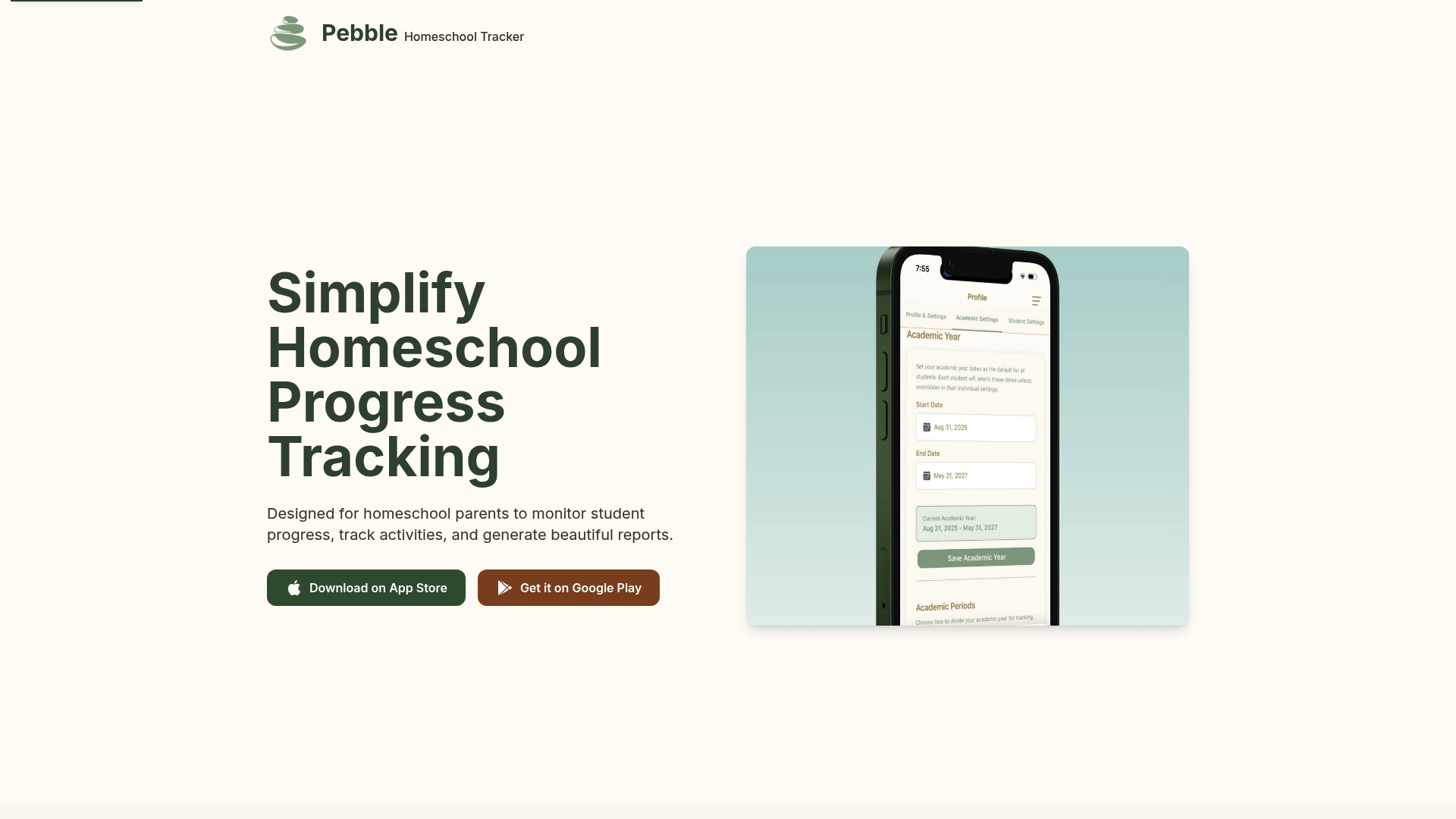
PebbleHomeschool Tracker gives UK homeschooling parents a tidy, mobile-first way to record learning moments and generate professional reports. The app pairs photo evidence and AI-assisted notes to produce PDF progress documents that look ready for local authority review.
Core Features
Pebble focuses on a few targeted tools that matter to home educators. Key features include Activity Tracking with photo evidence and notes, Progress Reports with PDF generation, a Parent Dashboard with calendar and charts, and Customization for categories and settings.
Pros
- User-friendly interface tailored for homeschool needs. The layout and workflow are designed around daily logging which makes capturing short learning moments quick and straightforward.
- Comprehensive tracking and reporting features. Parents can attach photos, add contextual notes, and produce reports that compile evidence across weeks and months.
- Visual tools for progress monitoring. The calendar view and progress charts provide a visual timeline that helps you spot patterns at a glance.
- Customization options for different homeschooling styles. You can adapt categories and settings to reflect interest led, unit study, or more structured curricula.
- Availability on major mobile platforms. The app works on iOS and Android which suits families who use phones or tablets for daily logging.
Cons
- Limited details on free vs paid features. The website does not clearly state which functions require payment which makes budget planning difficult for families.
- No information on advanced analytics or integrations. There is no clear support for third party tools or deeper data exports for further analysis.
- Potential subscription costs not specified. Pricing is not published which creates uncertainty when comparing long term value against alternatives.
Who It's For
Pebble suits UK homeschool parents who want a polished, evidence focused record without wrestling with spreadsheets or bulky desktop software. It appeals to families preparing reports for local authorities and parents who prefer logging from a phone during lessons.
Unique Value Proposition
Pebble stands out by combining simple mobile logging with PDF ready reports and brief AI notes that save time. For parents who need presentable documentation rather than raw data, Pebble aims to convert daily observations into formal looking records quickly.
Real World Use Case
A family uses Pebble to photograph science activities, tag skills in the app, and let AI draft short explanatory notes. At the end of each month they generate a PDF that shows learning progression and share it with a tutor or local authority contact.
Pricing
Pricing information is not specified on the website. The app likely contains in app purchases or subscription plans which you should verify in the app store or on the vendor site before committing.
Website: https://pebble-tracker.com
WiseTrack Homeschool Log
At a Glance
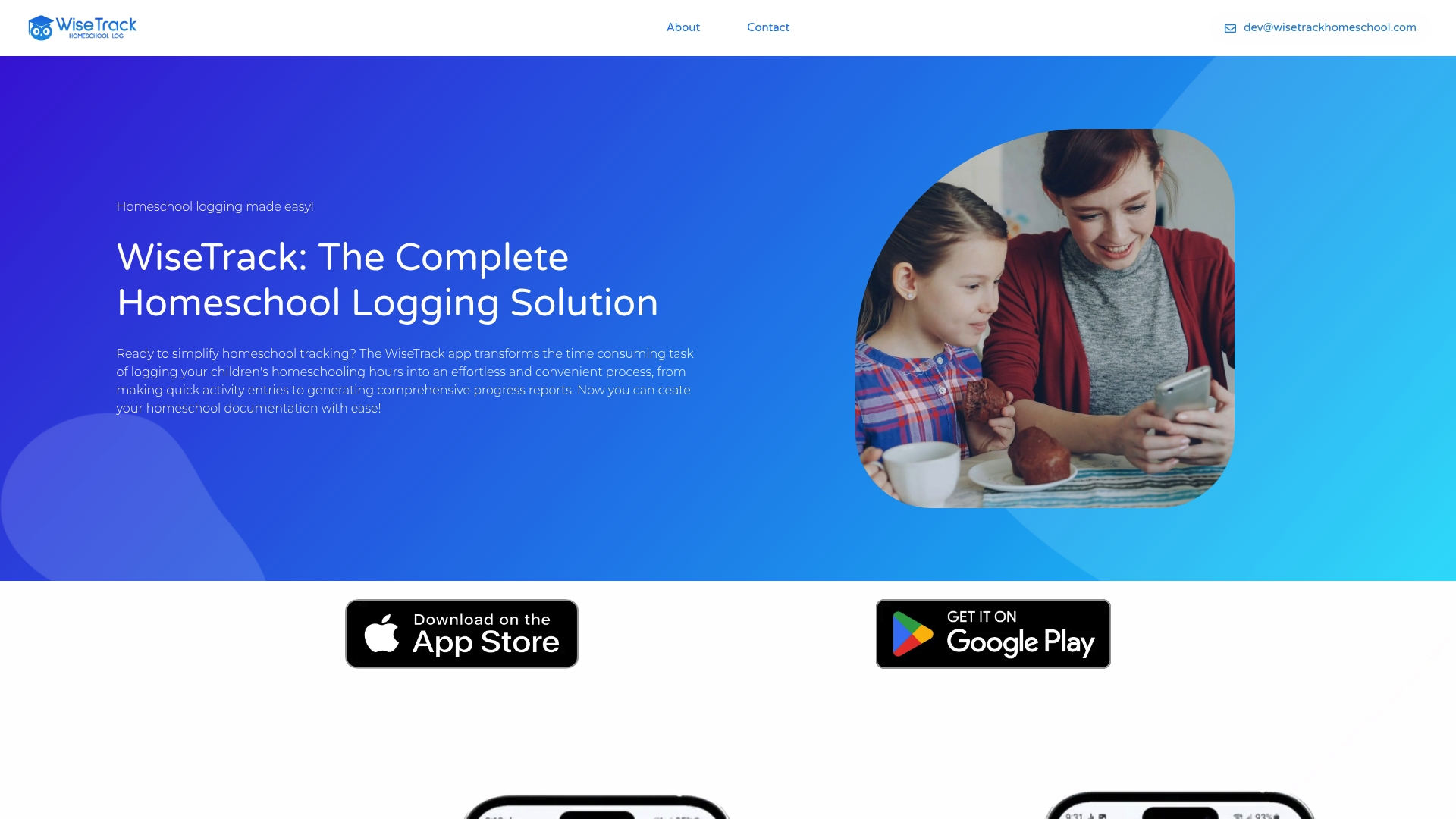
WiseTrack Homeschool Log is a focused app for logging homeschooling hours and producing the paperwork you need. It speeds daily entries and creates ready to share documentation so parents spend less time on admin and more on teaching.
Core Features
WiseTrack centers on progress charts, narrative progress reports, and PDF reports that you can print or share. The app offers quick activity entry, searchable activity logs, and visual summaries to show learning patterns over time.
- Track Student Progress visually with progress charts and summaries.
- Generate narrative progress reports anytime.
- Create detailed PDF reports for official documentation.
- Easily see and search all learning activity logs.
- Print and share reports with professionals or for personal records.
Pros
- Simplifies and speeds up homeschool tracking: The interface emphasizes quick entries so you record lessons in seconds rather than filling spreadsheets later.
- Automates report generation with visual and PDF options: You can export narrative reports and PDF files that look professional when you present them to authorities.
- Supports comprehensive record keeping and sharing: Searchable logs and print options make filing, assessment, and evidence requests simpler for busy households.
- Accessible on both iOS and Android platforms: Families with mixed device types can use the same tool without forcing a single ecosystem.
- Positive testimonials from homeschooling parents: User feedback indicates real-world usefulness and reduced admin time for families.
Cons
- Limited information on pricing structure: The website does not list clear pricing so you may need to download the app or contact support to confirm costs.
- Potential learning curve for new users unfamiliar with digital logs: Parents who prefer paper systems face an adjustment period to set up categories and habits.
- No detailed feature comparison with other homeschool logging tools: You cannot compare WiseTrack side by side with alternatives on the site which makes shortlist decisions harder.
Who It's For
WiseTrack suits homeschooling parents and guardians who want a practical digital record keeper for multiple students. It fits families who must produce regular reports for educational authorities and those who prefer visual summaries over spreadsheets.
Unique Value Proposition
WiseTrack stands out for combining fast daily logging with polished export options so your evidence looks professional when you share it. The mix of visual summaries and official PDF reports lets you show both breadth and depth of learning without extra formatting work.
Real World Use Case
A parent records daily lessons in minutes, then generates a monthly narrative and PDF to share with the homeschooling authority when requested. The approach keeps records tidy, avoids last minute scrambles, and proves progress across subjects.
Pricing
Pricing is not specified on the website and likely appears after app download or via contact. Expect subscription or one time purchase options, but confirm exact terms before committing.
Website: https://wisetrackhomeschool.com
Homeschool Management Tools Comparison
The following table provides a comprehensive overview of homeschool management tools detailed in the article, summarizing their key features, benefits, and pricing for easy comparison.
| Platform | Key Features | Pros | Cons | Pricing |
|---|---|---|---|---|
| ProgressNest | Milestone logging, AI insights, Report generation, Multi-child management | Professional reports, Privacy-focused, User-friendly, GDPR compliance | Limited to UK educators | Free plan; Premium from £4.99/month; Family from £9.99/month |
| Homeschooly | Activity tagging, Habit tracking, Weekly scheduling, Cloud sync | Mobile-friendly, Privacy-focused, Inspection-ready reports, Customizable categories | Premium features require subscription; Limited free-tier capabilities | Free; Premium $2.99/month or $29.99/year |
| Home Ed Companion | Notes/Photos tracking, Personalized categories, Summaries generation | Inclusive of diverse learning styles, Summarized reports, Multi-platform access | Short trial; Limited detail on pricing/features | Subscription-based; 7-day free trial |
| Homeschool Tracker | Record keeping, Lesson planning, Professional reports | Long-standing platform, Comprehensive features, Affordable plans | No free trial; Subscription required | $8/month, Annual $65/year, Two-year $119 |
| PebbleHomeschool Tracker | Activity tracking with photos, AI-powered notes, Customizable settings | Professional-grade reports, User-friendly interface, Visual progress monitoring | No detailed free/paid feature differences | Contact vendor for exact pricing |
| WiseTrack Homeschool Log | Quick activity logging, Narrative progress reports, Visual summaries | Easy-to-use, Multi-platform, Professional report generation | Limited pricing information | Contact vendor for exact pricing |
Simplify Your Homeschool Management with ProgressNest
If you are exploring the top NestQuest.Life alternatives looking to overcome homeschooling challenges like juggling multiple children’s records, producing professional reports for local authorities, or tracking progress without cumbersome spreadsheets, you will appreciate how ProgressNest addresses these exact pain points. Its user-friendly platform empowers UK home educators to log milestones effortlessly, generate polished PDF reports, and gain AI-powered insights to spot learning gaps — all while prioritizing privacy and ease of use.
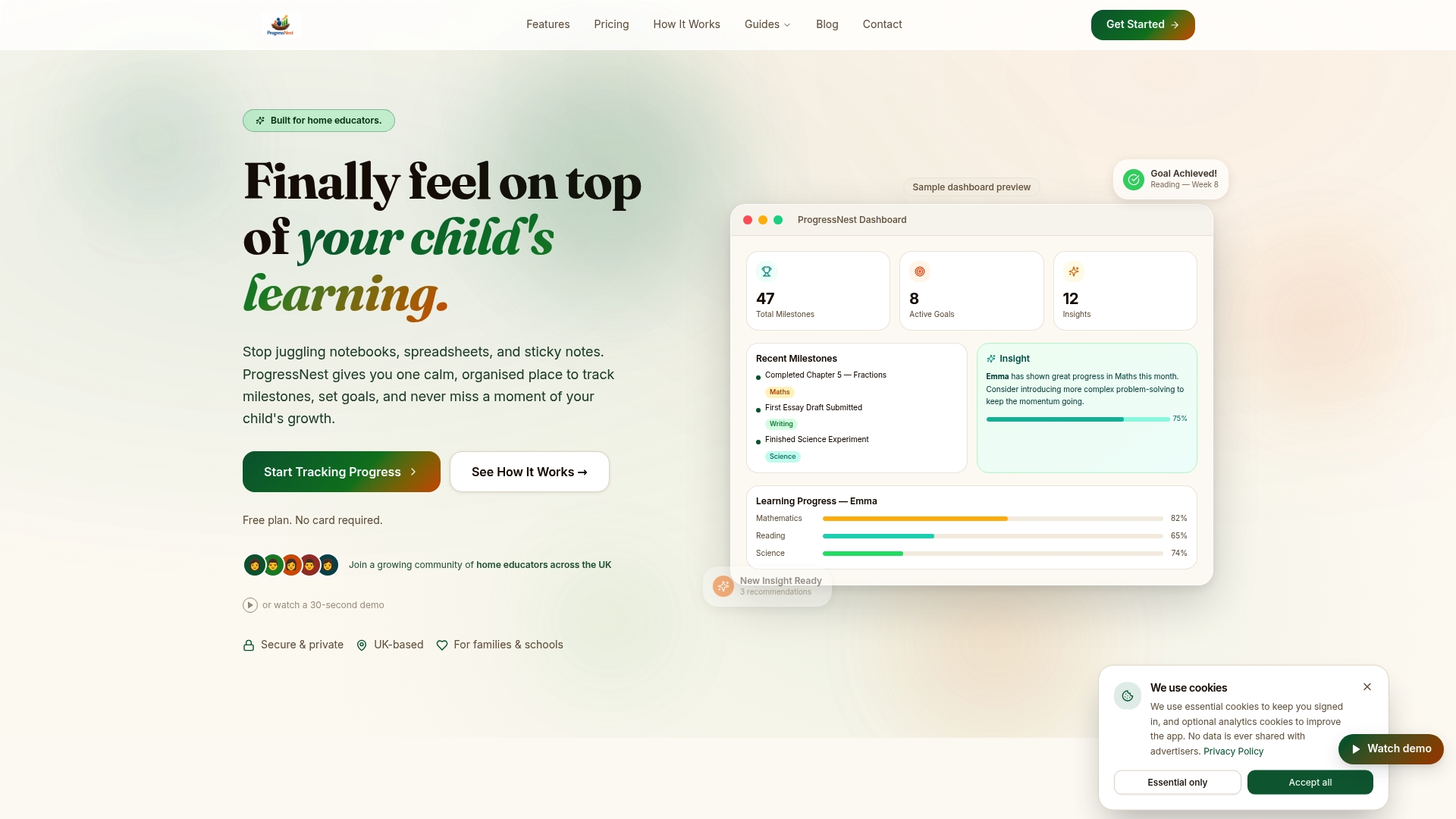
Discover how ProgressNest transforms home education management by replacing scattered notes with clear visual charts and automated reminders. Take control of your homeschooling journey today and visit ProgressNest to start simplifying your record keeping and reporting needs now.
Frequently Asked Questions
What are the benefits of using alternatives to NestQuest.Life?
Using alternatives to NestQuest.Life can offer diverse features tailored to different needs, such as enhanced tracking capabilities or user-friendly reporting tools. Evaluate each option to see which one aligns best with your educational goals and preferences.
How do I choose the right alternative to NestQuest.Life for my family?
Consider your family's specific needs, such as the number of children you are homeschooling and the learning styles you want to support. Compare features, such as milestone logging, reporting options, and data privacy, to find the best fit.
Can I track multiple children with these NestQuest.Life alternatives?
Yes, most alternatives allow you to manage profiles for multiple children under one account. For example, you can track learning activities for three or more siblings without needing separate logbooks or spreadsheets.
How do I generate reports with alternatives to NestQuest.Life?
Typically, you can generate reports by inputting your tracking data and selecting the report generation option in the app. Many platforms offer one-click report creation, providing you with professional-grade PDF files for local authority reviews.
Are these alternatives to NestQuest.Life privacy-conscious?
Most of the alternatives prioritize data privacy and comply with regulations such as GDPR. Make sure to review the privacy policy of each option to understand how your family's information will be handled.
What is the general pricing structure for NestQuest.Life alternatives?
Pricing varies among alternatives, with some offering free plans with limited features, while others have subscription-based models. For example, expect costs to range from basic free tiers to around $10 per month for premium features.